
Guru Analytics Updates
Guru is upgrading its analytics experience with a new platform, simplified navigation, and more flexible metrics. These changes make it easier to find the insights you need and track what matters most to your team.
Access RequiredYou must be a Guru workspace Admin or relevant custom role to access analytics.
ImportantThis change will take place at the end of January. The purpose of this article is to provide a heads up on what to expect when this change does go live.
What's new
Guru is releasing a major upgrade to our analytics experience this January! This upgrade brings a more intuitive experience with greater flexibility in how you view, customize, and share your data.
Key improvements
Faster updates: We can now iterate and improve metrics more quickly based on your feedback.
Better user experience: Explore and customize analytics with more flexibility and control.
Improved export capabilities: Users can now share scheduled reports (or schedule based on a triggered event) with multiple stakeholders from their org.
Simplified analytics menu
We've reorganized the analytics menu to make it easier to find the metrics you're looking for. The new structure groups metrics by feature, so related insights live together in one place.
Previous menu: | New menu: |
|---|---|
|
|
NoteThe Strategic Impact section has been removed. Metrics from Strategic Impact now appear in other relevant categories like Knowledge Agents, Adoption, and Cards & Collections.
Streamlined metrics
We've removed duplicative metrics that appeared across multiple sections and consolidated them into their relevant feature categories. For example, all announcement-related metrics now live in the Announcements section instead of being spread across four different pages.
Metrics no longer available
The following metrics have been removed as part of this update:
From Strategic Impact:
- Adoption Over Time
- Top Collections and Percent of Verified Cards
- Top Followed Authors
- Verification Score Over Time vs Benchmark
From Group and User Drill Down:
- Announcement Read Rate Over Time
- Most Viewed Cards
- Top Actions
From Adoption and Feature Usage:
- AIST Total Volume
- Most Useful Cards for Support
- Suggestion Utilization
- Suggestion Utilization by Channel
From Announcements:
- Announcements Read Rate Over Time
TipMany of these metrics were duplicates that appeared in multiple sections. You'll still find similar insights organized within the new menu structure.
Export and share your data
One of the biggest improvements in the new analytics experience is enhanced export capabilities. You can now export data in multiple formats and send reports directly to the tools your team uses every day.
Export formats
Download analytics data in any of these formats:
- CSV: Spreadsheet-compatible data
- Excel: Formatted Excel workbooks
- JSON: Machine-readable data format
- PDF: Print-ready reports
- PNG: Visual snapshots of charts and graphs
Schedule automated reports
Set up recurring exports to keep stakeholders informed:
- Select the metric you want to export.
- Click the export menu and choose Schedule exports.
- Select your destination and format.
- Choose your frequency:
- Daily: Send reports every day at a specific time
- Weekly: Schedule weekly updates
- Monthly: Generate end-of-month summaries
- Set up alerts to trigger exports when specific conditions are met.
- Click Create.
Your scheduled export will run automatically and deliver reports to your chosen destination.
Example Screenshots
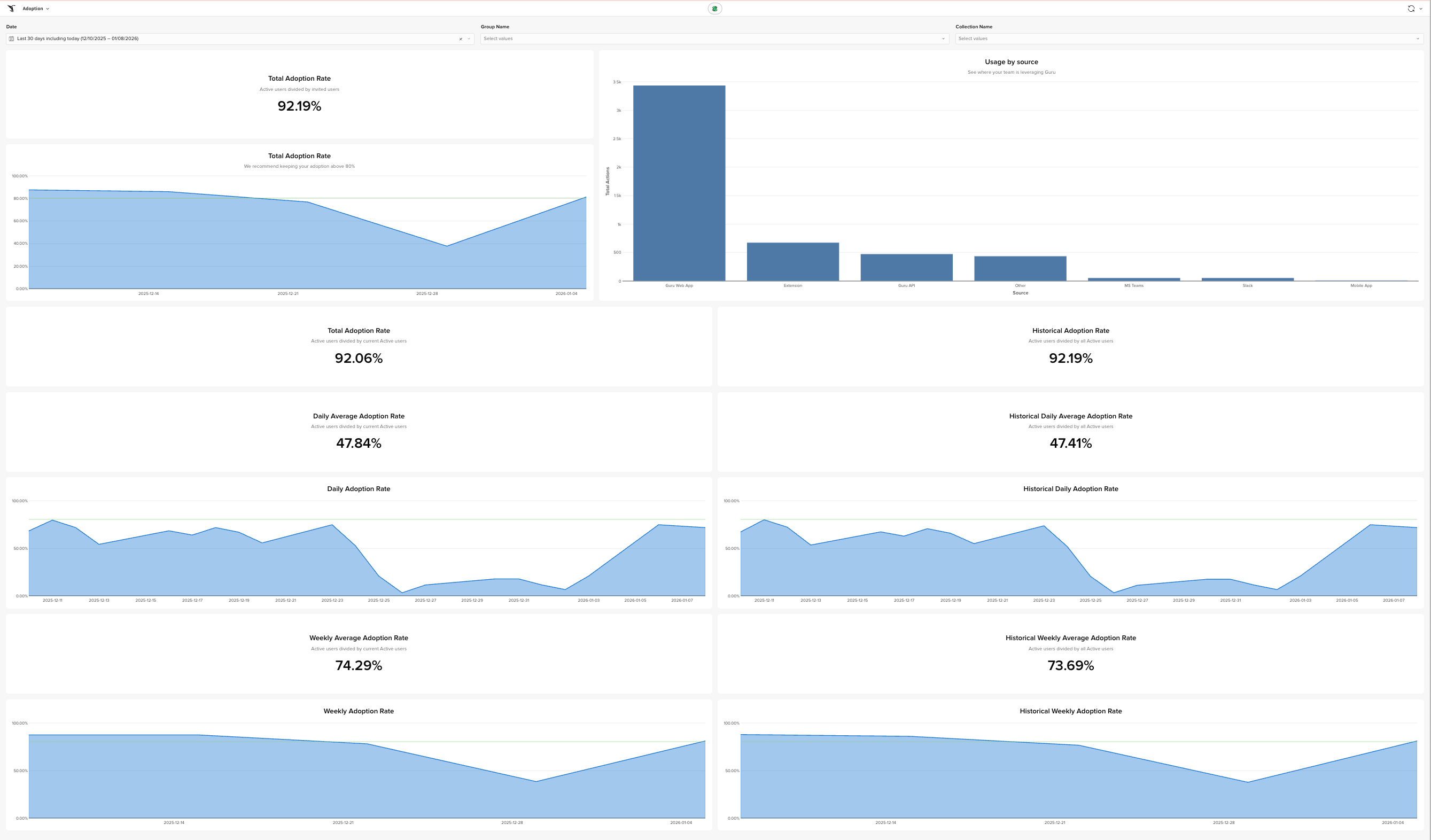
Adoption
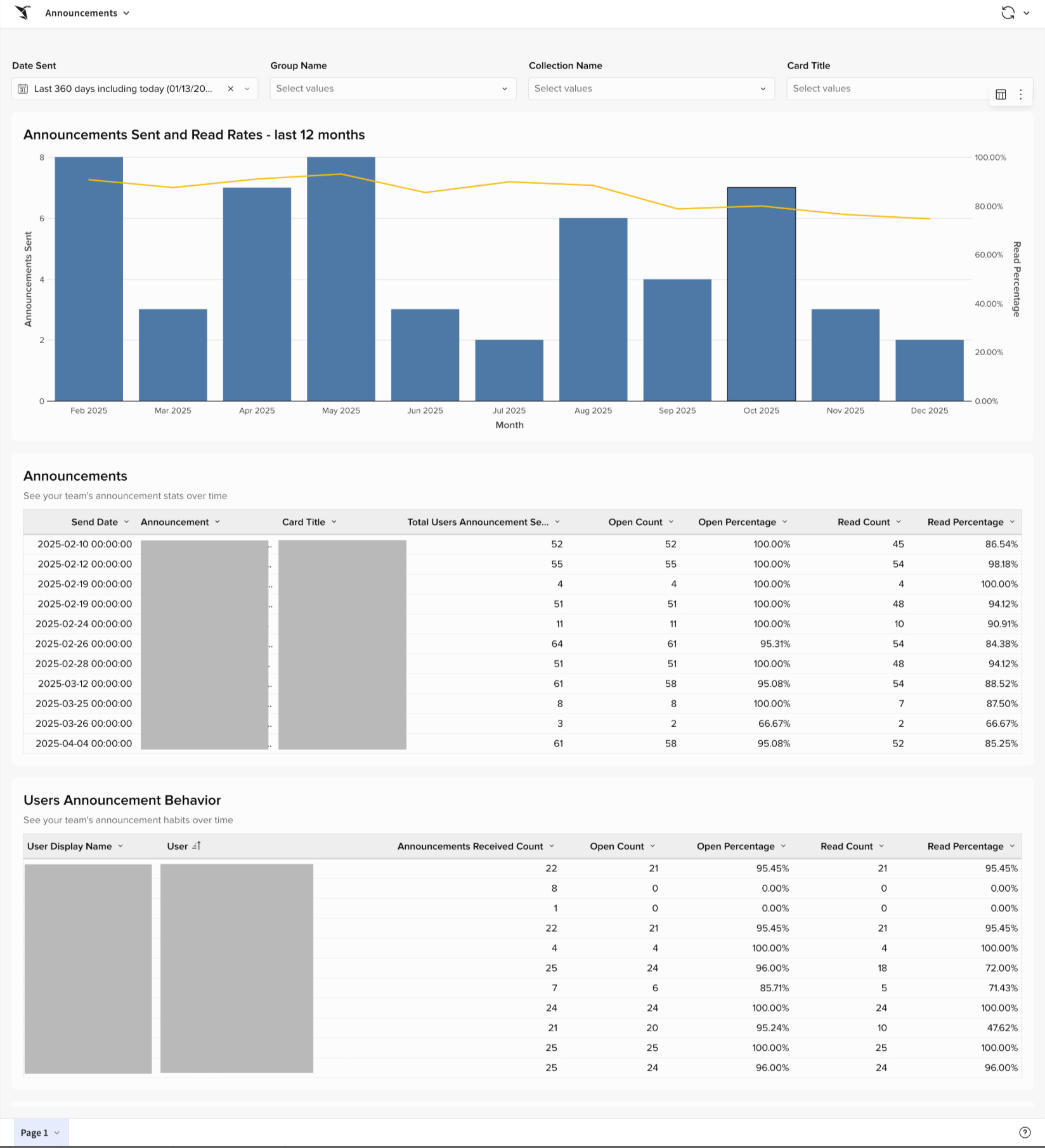
Announcement
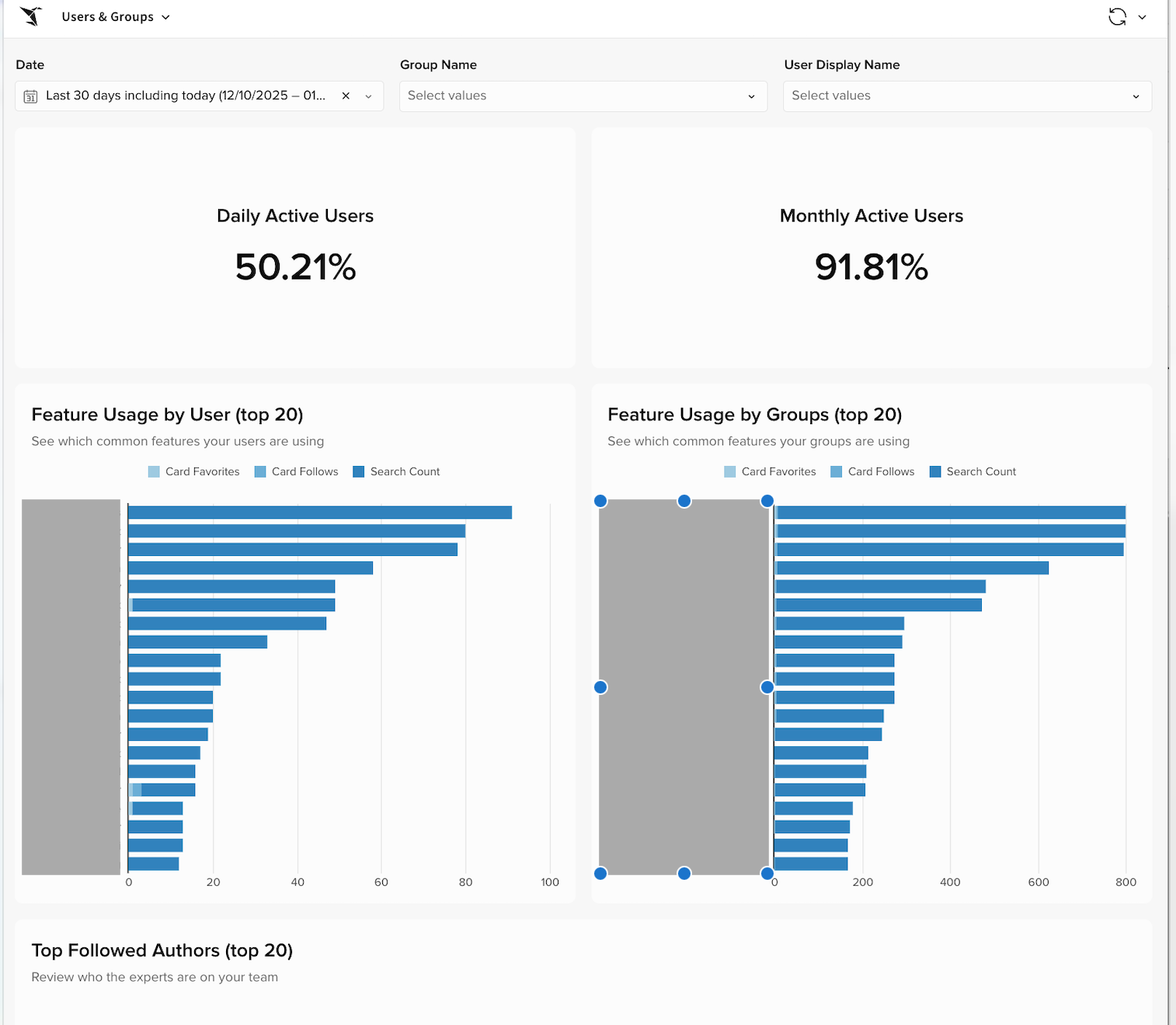
Users and Groups
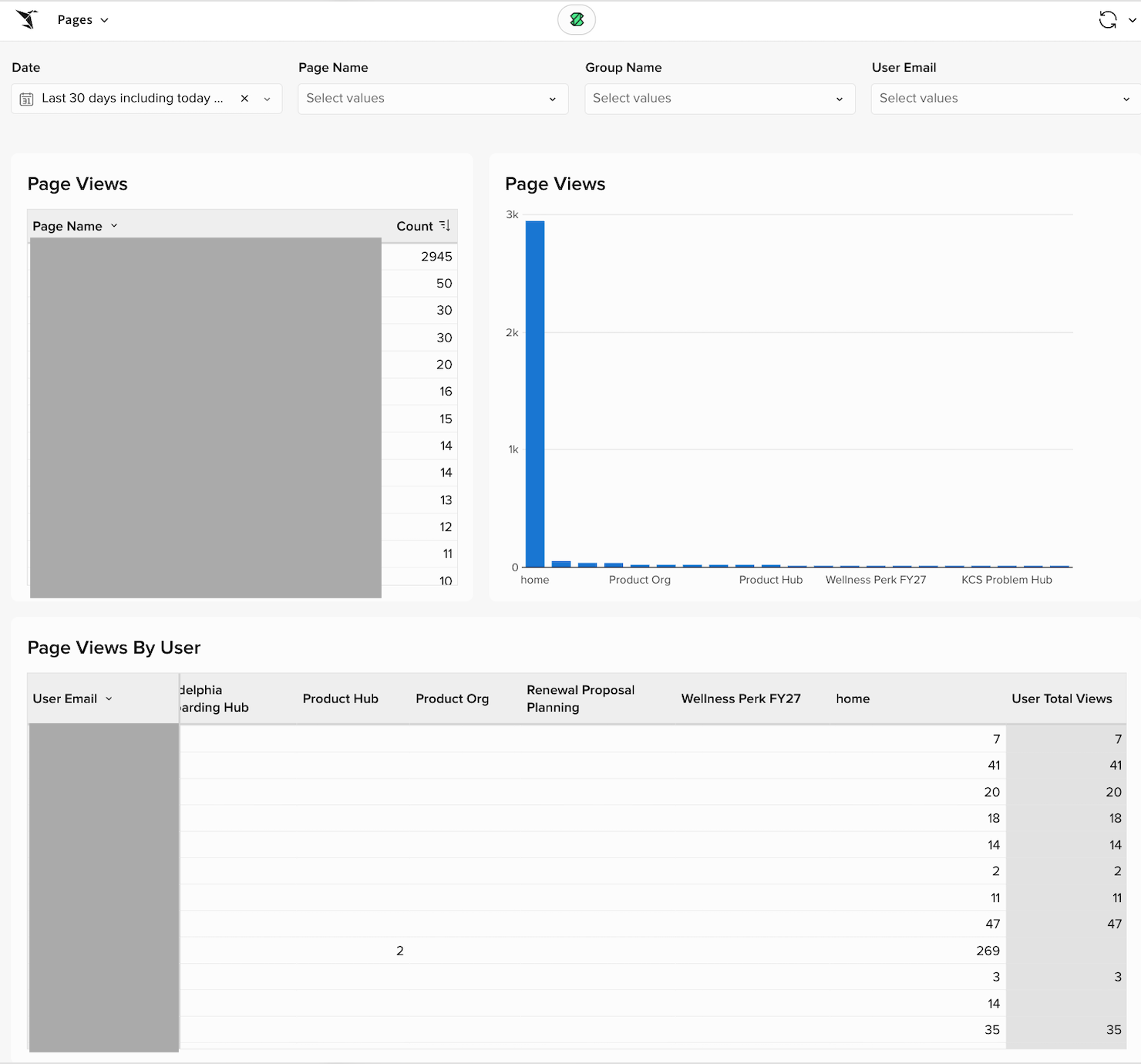
Pages
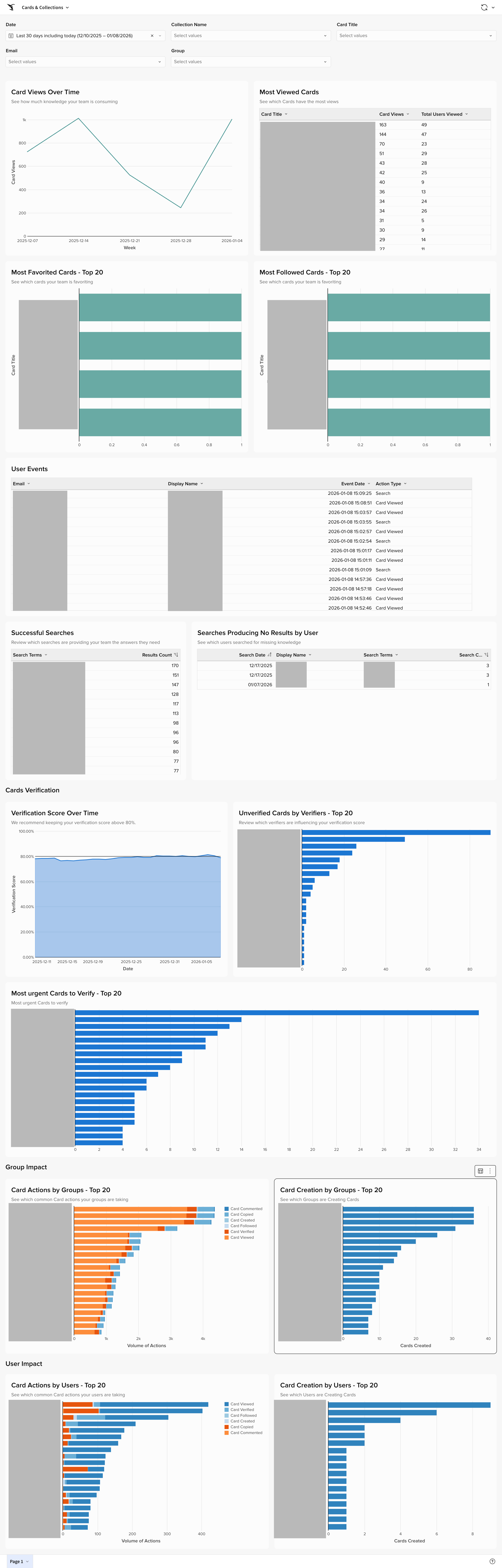
Cards & Collections
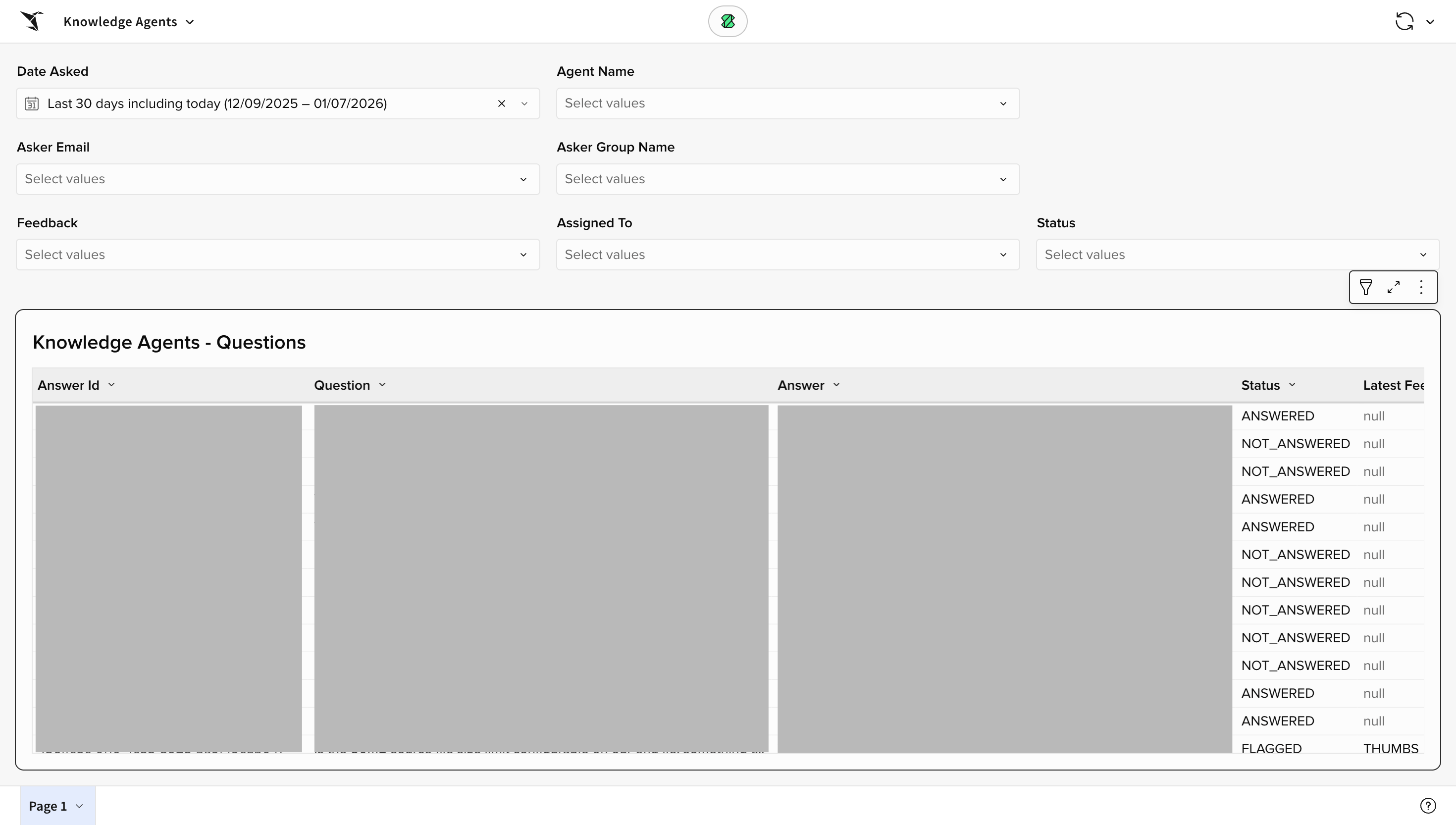
Knowledge Agent
Frequently asked questions about analytics changes
When will I see these changes?
The new analytics experience will be available at the end of January. The exact date to be announced.
Will I lose access to historical data?
No. Your historical data will carry over to the new analytics platform. In fact, you'll now be able to view data for unlimited time ranges instead of being limited to the past year.
Why was Strategic Impact removed?
The metrics previously found in Strategic Impact now appear in other relevant sections like Knowledge Agents, Adoption, and Cards & Collections. This makes it easier to find related metrics grouped by feature.
Can I still export data as a CSV?
Yes. CSV export is still available, along with many additional formats including Excel, JSON, PDF, and PNG.
Can I schedule reports to send automatically?
Yes. You can schedule exports to run daily, weekly, or monthly, and send them directly to email.
Updated 2 months ago