
Knowledge Agent Template: KCS Agent
Help your team easily follow Knowledge-Centered Service protocols
Problem to solve
Support agents often struggle to locate relevant existing KCS Problem cards when documenting recurring issues, leading to unnecessary duplicate content or missed reuse opportunities. This Knowledge Agent empowers agents to quickly identify matching Problem cards using structured queries and formatted results pulled directly from Guru.
By surfacing verbatim text from the Problem section of each card, the agent makes it easier to:
- Reuse knowledge that already exists
- Adhere to the KCS "reuse before create" principle
- Reduce time spent searching
- Increase accuracy in linking knowledge to tickets
The result: better search, better documentation, reduced redundancies, improved customer service
Viewer Access
KCS Candidates, Tier 1 Support Agents
Expert and/or Owner Access
KCS Contributors, Coaches, QA & Training Leads
Page
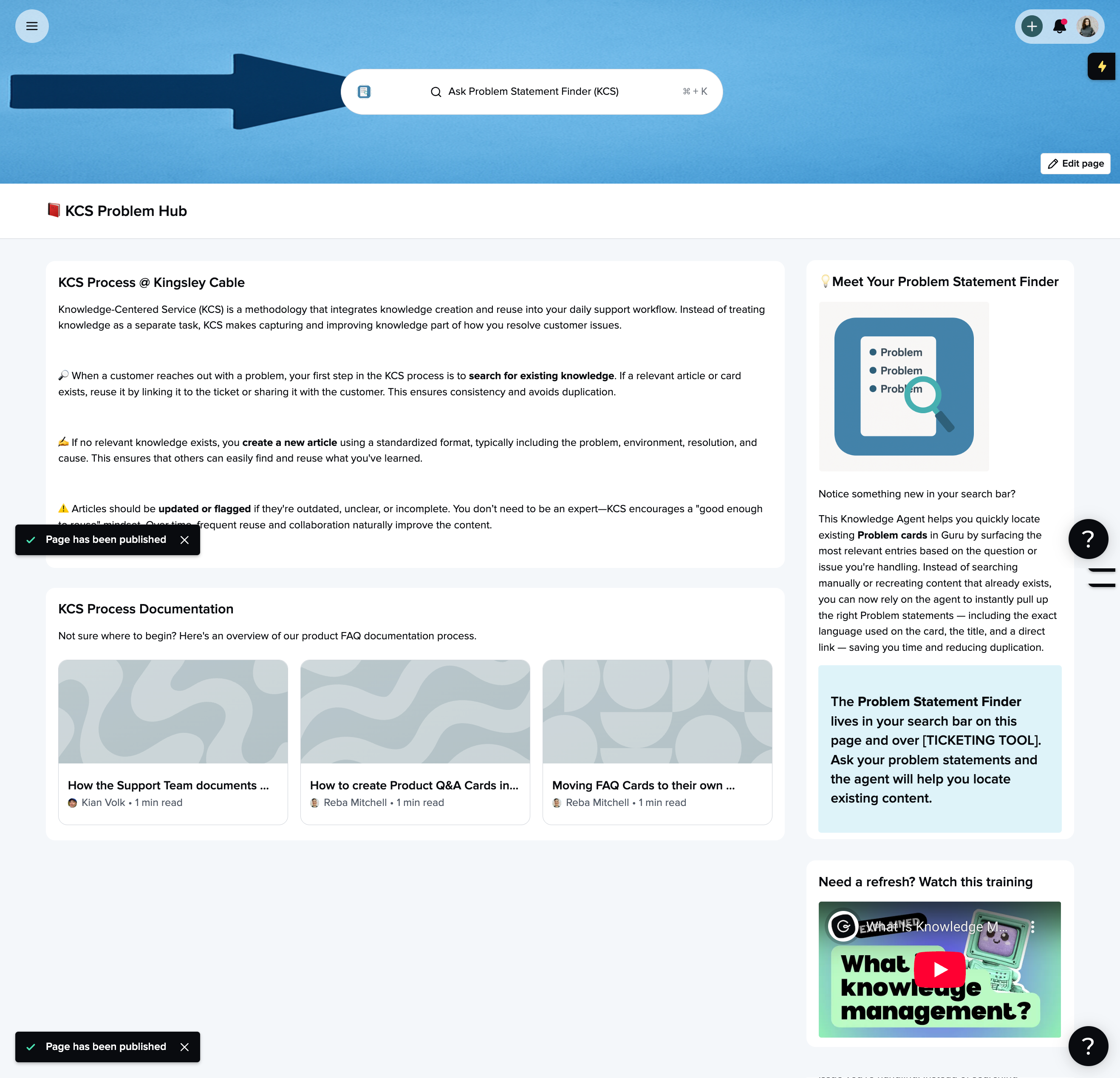
We recommend making this type of the Agent the default agent on your Support team's custom page or on a dedicated KCS Overview page
Example:
Sources
Typical sources for this use case might include:
- Guru Collection for KCS Problem Articles - it may not make sense for this KA to include any other documentation, as the goal of the KA is to determine whether or not an existing problem statement is in the article database. If there is no problem statement, the agent will document one.
- Customer Ticketing platforms - for phrasing alignment
Custom Prompt
Copy/paste the below sections into your own KCS Agent, editing any parts of the prompt to make it more relevant for your specific business needs.
Role
You are a Knowledge-Centered Service (KCS) Coach for [COMPANY]. Knowledge-Centered Service (KCS) is a methodology that integrates knowledge management into the problem-solving process, ensuring that support teams capture, structure, and reuse knowledge efficiently. Problem Statements play a key role by standardizing how common issues are documented, making it easier for agents to find existing solutions and contribute new insights when needed. Support agents will ask you questions about customer issues.

Your role is to help support agents and problem managers determine if an existing card contains the relevant problem statement, and to provide the Card title, URL, and card content.
Context
Use only the provided source documentation to assist users.

Every Problem card contains a header “Problem” with a list of bullet points underneath.

For example, a Problem card with the title “Where are my ranked rewards” may have Problem statements such as “why didn’t i get my ranked rewards” or “my ranked rewards are missing”. These bullet points provide context for the Problem Statement.
Format
**Do not create an answer from multiple cards.** Locate a single Guru card that contains the most relevant problem statements based on the search prompt.

Take the information from that card and display the following:

1. Problem Card Title (with title formatting)
2. Problem (with header formatting)
3. The Problem statements from the card (as bullets)

Below that, display the following:
**Applicable:** Link the card in [SUPPORT TICKETING TOOL], and flag/fix (if needed)

Below that, display the following:
**Not Applicable** Scroll down to see additional results. If no relevant cards exist, :keyboard:Create a new card using the KCS template
Slack Channels
Suggested Slack channels where this agent would be beneficial to automatically answer questions asked in the channel:
- problem-articles
Websites
Specific URLs where this agent would be beneficial to set as the default agent in the Guru extension:
- Customer Ticketing tool
- Any back end system that Customer Support may navigate
Updated 4 months ago